How to use chowchow
Save a food post in two taps, keep scrolling, and find the place on your map when you're hungry.
1 Install (beta testers)
- Open the email from App Store Connect and accept the invite.
- Install TestFlight from the App Store.
- Open the second email ("chowchow is ready to test") and tap View in TestFlight → Install.
- Open chowchow and sign in with your email. We send a 6-digit code (check spam the first time).
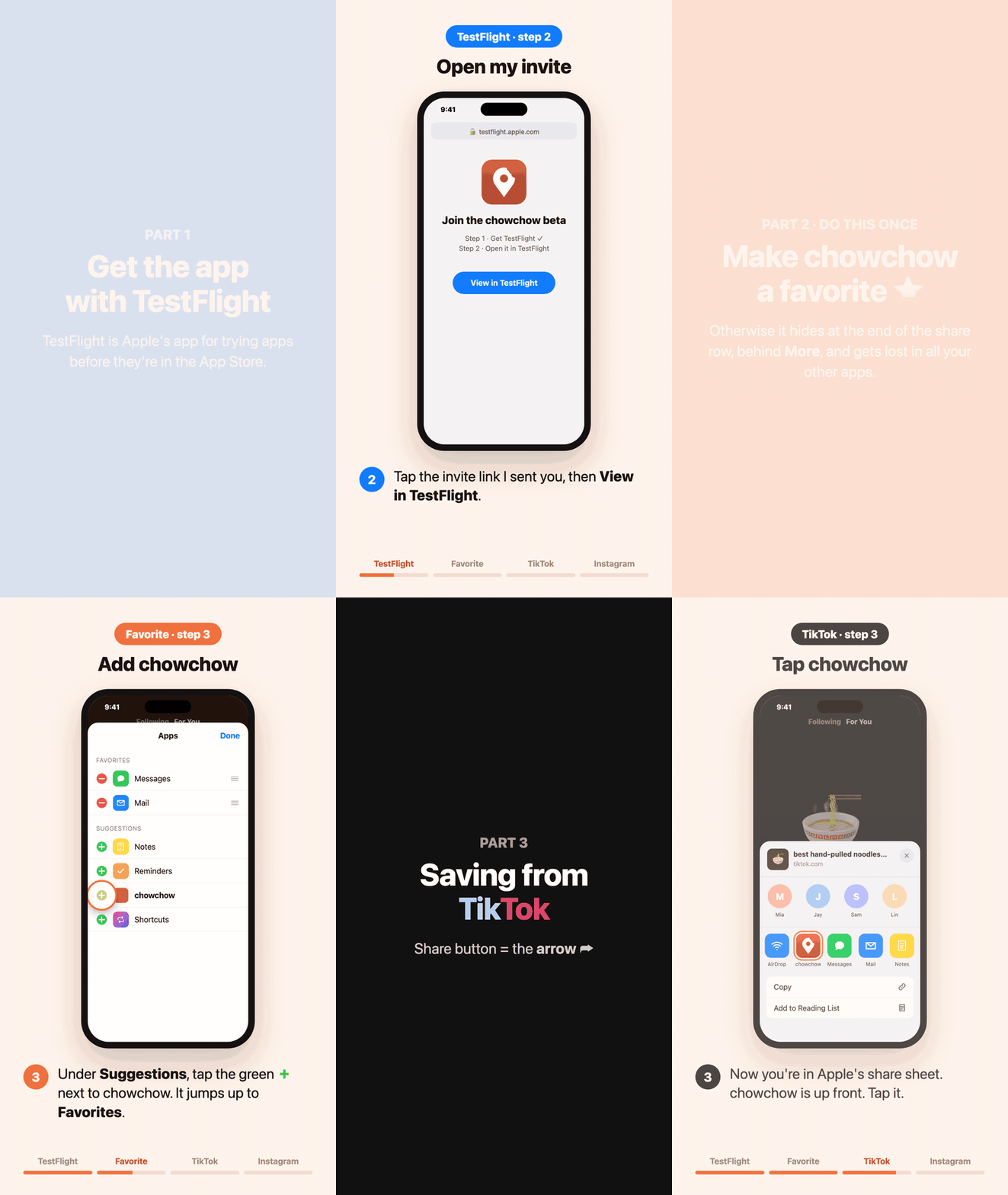
2 Make it one tap (once)
- On any post, tap Share, swipe the row of apps to the end and tap More.
- Tap Edit, then + next to chowchow, and drag it to the top.
- Tap Done. chowchow is now one of the first apps in your share sheet.
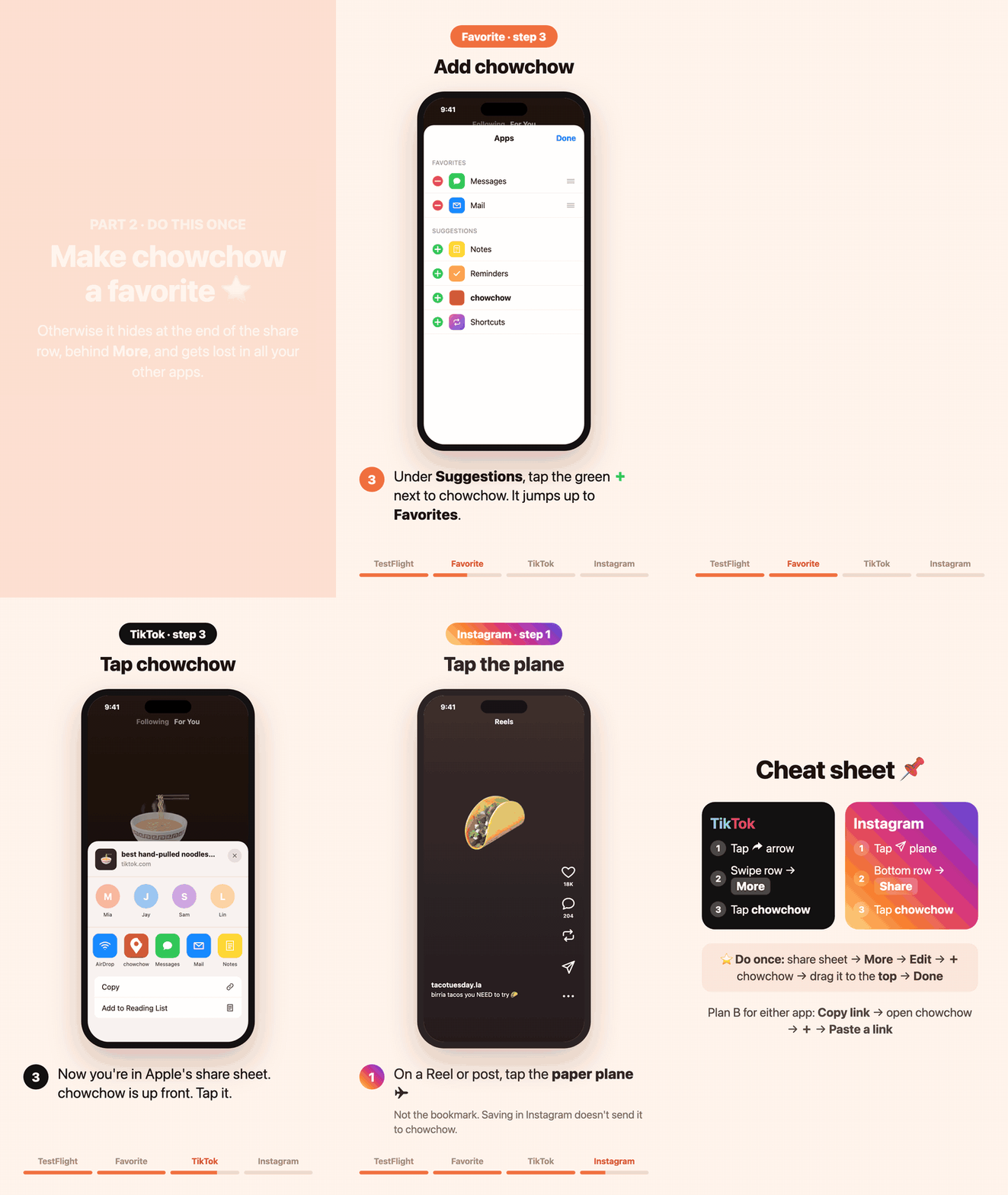
3 Save from TikTok
- Tap the Share arrow on the right of the video.
- Tap chowchow (or swipe to the end, then More).
- Keep scrolling. You'll get a reminder when it's ready to review.
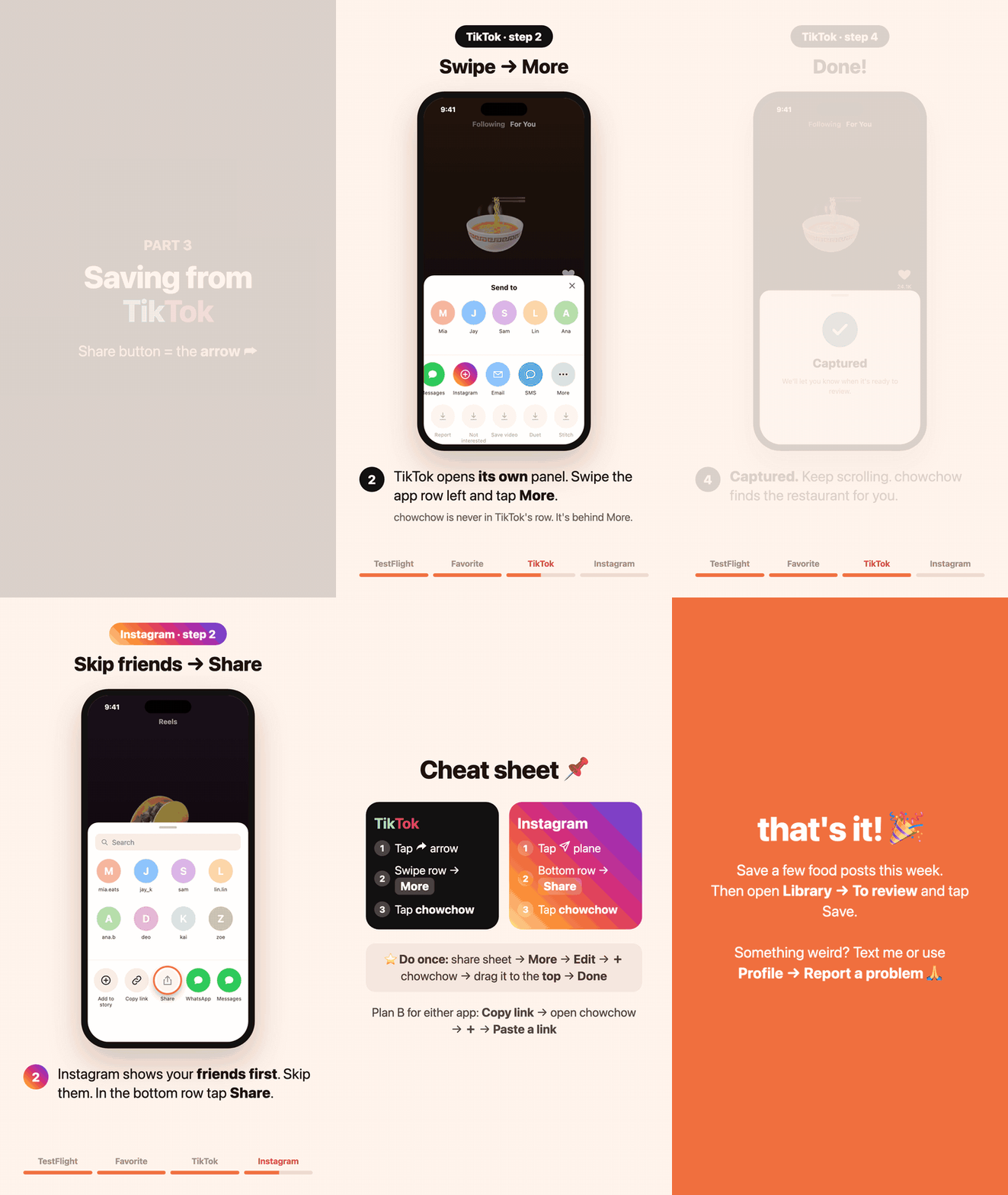
4 Save from Instagram
- Tap the paper plane under the post.
- Tap Share, then chowchow.
- Review it in chowchow, and the places go on your map.
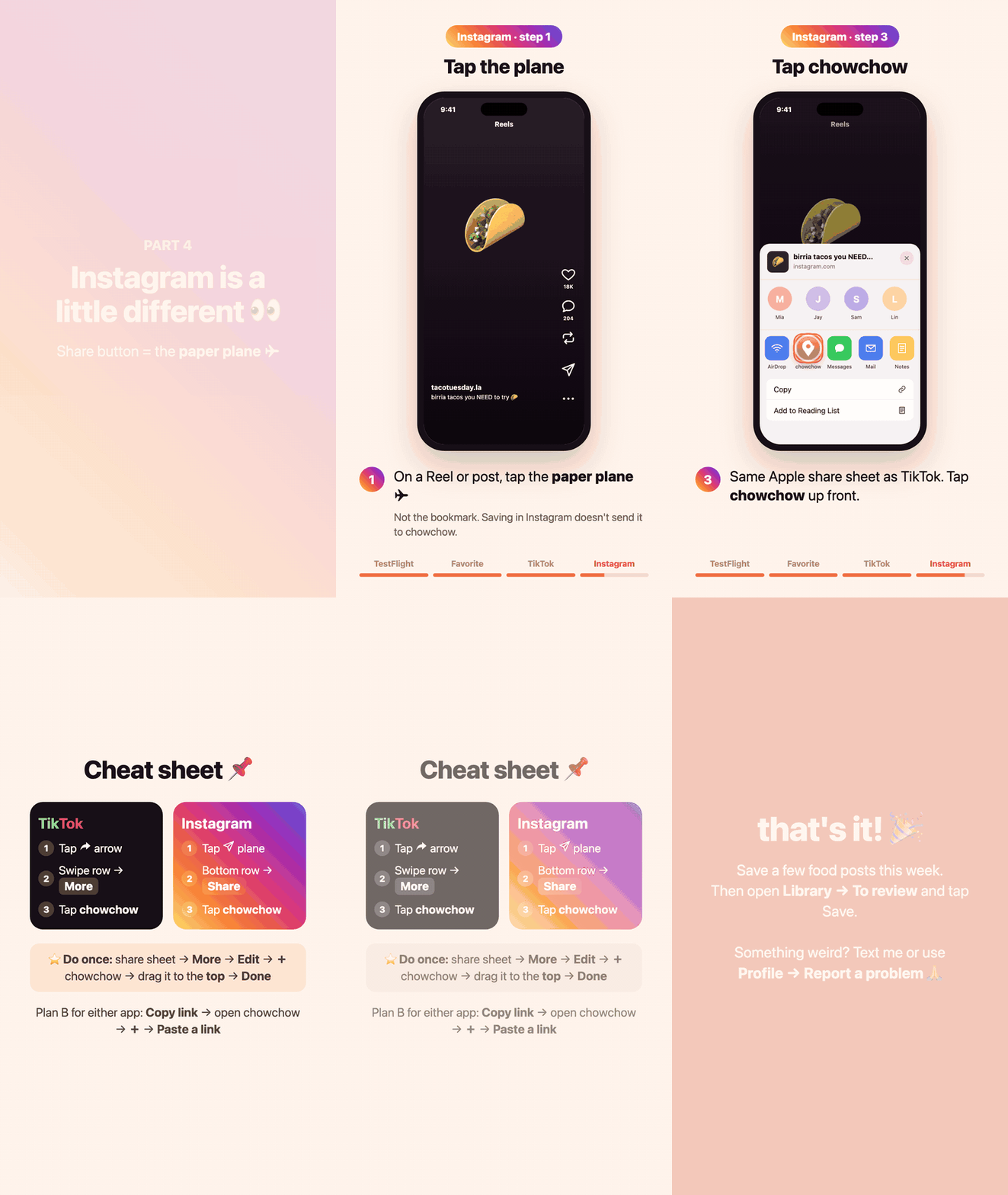
Prefer one video? Watch the whole guide (1 minute).
Stuck? Email support@getchowchow.com, or in the app use Profile → Report a problem.